When to Move Beyond Zapier: Your Realistic Options
Learn when to move beyond Zapier and how to choose between manual work, off-the-shelf tools, or a custom automation build.
You set up a few Zapier workflows to save time, but now they break often, cost more than you expected, or can’t handle the task you actually need done. The short answer: Zapier is a good starting point for simple, low-volume tasks between popular apps, but once your workflows get complex, high-volume, or business-critical, you have three honest options to weigh: keep it manual, switch to another off-the-shelf tool, or commission a custom build. This guide shows you the signs you’ve outgrown Zapier and how to pick the right next step.
What Zapier Is Good At (and Where It Fits)
Zapier connects apps around a simple idea: when X happens in one app, do Y in another. A new form entry creates a contact. A paid invoice posts a message to your team chat. For that kind of trigger-and-action task, it works well and it works quickly.
It earns its place in three situations. First, low-volume workflows where you’re moving a modest number of records each month. Second, tasks that use popular apps with ready-made connectors, so you don’t have to build anything from scratch. Third, cases where a non-technical staff member needs to set something up without waiting on a developer. Someone on your operations team can often build a useful flow in an afternoon.
Being honest about these strengths makes the limits easier to judge. Zapier is not failing you when it struggles with a complex, high-volume, or unusual task. That was never what it was designed to do well. The question is whether your task has quietly grown past the point where a connect-the-apps tool is the right fit. According to Wikipedia’s overview of Zapier, the platform is built to connect web applications and automate workflows between them, which is exactly the lane where it performs best.
Signs You’ve Outgrown Zapier
Most businesses don’t decide to outgrow Zapier. They notice the friction piling up and realise the tool is now costing more time and money than it saves. Here are the clearest signals.
Reliability and maintenance
Your tasks break when a website, form, or app changes, and you spend hours patching them back together. A field gets renamed, a login flow changes, a connector updates, and suddenly records stop flowing. If someone on your team is regularly firefighting broken Zaps instead of doing their actual job, the hidden maintenance cost has become real. This is especially common when you’re automating a portal or site that changes on someone else’s schedule, not yours.
Cost creep at higher volume
Zapier prices largely on how many tasks you run. As volume grows, your monthly count keeps pushing you into higher-priced tiers. A workflow that felt cheap at a few hundred tasks a month can look very different at several thousand. The problem isn’t that the pricing is unfair; it’s that per-task pricing scales with your success, so the busier you get, the more you pay, with no ceiling in sight.
Workflows too complex to trust
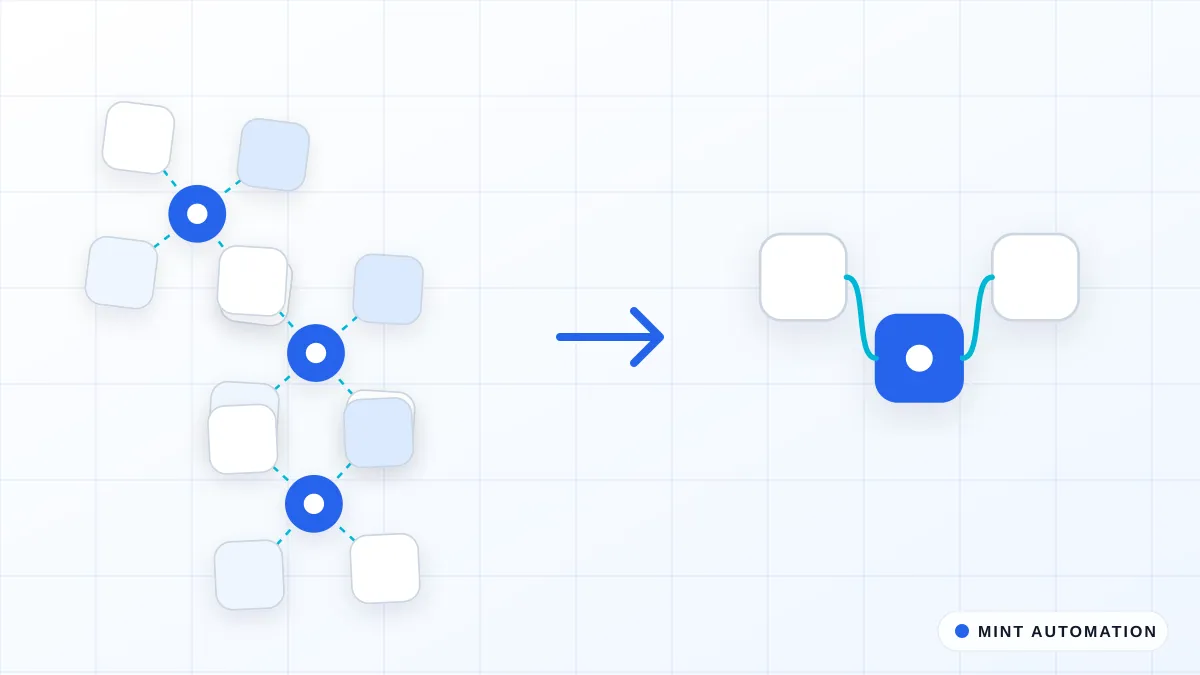
The workflow needs steps the tool can’t do cleanly: branching logic, retries when something fails, proper error handling, or validation before data moves. To get around this, teams chain many Zaps together until no single person understands the whole flow end to end. When that happens, a small change becomes risky because nobody is sure what else it will affect. The other common wall is a missing connector: the app or portal you need isn’t supported, or the connector exists but is missing the exact fields you rely on.
If two or more of these describe your situation, it’s worth stepping back and comparing your options deliberately rather than patching one more time. Our guide on what can and can’t be automated is a useful companion here.
Option 1: Keep Doing It Manually
Automation isn’t always the answer, and a good vendor will tell you so. When volume is low and infrequent, a person doing the task may still be the cheapest and simplest choice. Automating a task that happens twice a month rarely pays back.
Manual work also keeps human judgement in the loop. For sensitive tasks, or ones with high variation where every case is a little different, a person spotting the odd exception can be worth more than a tool that processes everything the same way. The honest trade-off is the hidden cost: staff time, human errors, and tasks slipping when people get busy or go on leave.
To estimate what manual work really costs, use a rough calculation: hours spent per week, times the loaded hourly cost of the person doing it, times 52. “Loaded” means their pay plus the overhead you carry for employing them, not just the base wage. For example, if a task takes 5 hours a week and the loaded cost is 25 per hour, that’s roughly 6,500 a year for one recurring task. Put a real number on it before you decide. Our walkthrough on how to calculate the ROI of automating a process covers this in more depth.
Option 2: Off-the-Shelf Tools (Including Zapier and Similar)
Off-the-shelf tools are the right choice more often than people expect. They’re best for standard tasks moving between popular apps that have stable, well-supported connectors. If you’re syncing common software most businesses use, a ready-made tool will often do it.
The advantages are real: fast to start, low upfront cost, and no developer needed for basic flows. You can test an idea this week rather than waiting on a build. For many businesses, that speed is worth more than perfection.
The things to watch are also real. Per-task pricing can climb with volume. Error handling is usually limited, so when something fails, you may not find out until a customer does. And you’re relying on the vendor’s connectors; if they change or drop support, your workflow changes with them. The clearest sign that a tool is the right fit: the process is simple and unlikely to change much. If you can describe it in one sentence and it’s stayed the same for a year, a tool probably fits.
Option 3: A Custom-Built Automation
A custom build is designed around your exact process, your specific apps, and your real edge cases, rather than fitting your work into a generic template. Instead of bending your process to match what a connector allows, the automation matches how your business actually operates.
This is what handles the situations tools struggle with: portals that have no connector at all, complex branching logic, high volume, and strict reliability needs where a failure has real consequences. If you’ve been fighting a missing integration or stitching Zaps together to fake logic that isn’t supported, a custom build addresses the root cause. Our guides on automating web portals that have no API and choosing between browser automation and API integration go deeper on those cases.
The trade-off is money shape, not just money amount. A custom build has a higher upfront cost but a lower ongoing cost per task, and you own how it behaves rather than renting it by the task. It’s the best choice when the task is core to the business, runs often, or has already been painful and expensive to maintain. See our custom automation services and pricing and API and app integration options for what that involves.
How to Compare the Three Options Honestly
The mistake most businesses make is comparing a monthly subscription against a one-time build price. Those aren’t the same shape, so the comparison misleads you. Compare total cost over a longer window instead.
A simple comparison checklist
Run each option through the same questions and write down the answers side by side:
- Total cost over 12 to 24 months — not just the monthly fee. Add up subscriptions, per-task charges, and the staff time spent maintaining it.
- Reliability — how often does it break, and who fixes it when it does? A cheap tool that fails weekly can cost more than a build that runs quietly.
- Fit — does it do the whole task, or only about 80% with a person cleaning up the rest? Partial automation still ties up staff.
- Volume and change — steady and simple favours off-the-shelf tools; complex and growing favours custom.
- Ownership — if the vendor changes pricing or drops a connector, what happens to you?
Questions to ask any vendor
Before you commit to any option, including a custom build, ask these:
- What exactly happens when a step fails — do I get told, and does it retry?
- Who maintains this when the apps or portals it touches change?
- What does the total cost look like at twice my current volume?
- Can you show me how a similar task has worked for another business?
- What’s the plan if I want to change or stop the automation later?
If a vendor can’t answer these plainly, that tells you something. Our automation FAQ and case studies are a good place to see how we answer them.
A Decision Framework You Can Apply Today
You don’t need a long project to decide. Work through these four steps in order.
- Map the task. Write down the steps, the volume (how many times it runs per week or month), the apps involved, and how often the underlying process changes. This single page tells you most of what you need.
- Estimate the cost of doing nothing. Put a number on the time lost and the errors made each month while the task stays manual or half-automated. This is your baseline to beat.
- Match the task to an option. If it’s simple and low-volume, start with an off-the-shelf tool. If it’s complex, high-volume, or critical to the business, price a custom build. If it’s rare and full of judgement calls, keeping it manual may win.
- Run a small pilot before committing. Set clear success criteria upfront — for example, “handles 95% of cases without manual cleanup” or “runs for a month without breaking.” A pilot turns a guess into evidence.
If you want a structured starting point, our free automation assessment walks through this mapping with you, and how MINT delivers automation explains what happens after.
Sources and further reading
How Mannveer International (MINT) Can Help
If your Zapier setup is breaking, creeping up in cost, or simply can’t do the task, we start by reviewing your current workflows and telling you honestly whether an off-the-shelf tool is still enough. Often it is, and we’ll say so. When it isn’t, we build custom automations for the tasks that ready-made tools can’t handle reliably: portals with no connector, document processing, CRM and spreadsheet sync, and lead follow-up. You get a clear scope and a fixed quote before any work begins, with standard automations typically delivered in about 3 to 7 business days, plus ongoing support once it’s live.
The best first step is a short conversation about one painful task — the one that breaks most often or eats the most time — and a realistic estimate of how quickly it would pay for itself. No long commitment, just a clear read on whether a tool, a build, or staying manual is the right call for that specific job.
- Contact MINT to talk through one painful workflow
- Connect with MINT to start the conversation
- Browse MINT case studies to see how similar tasks have been handled
- Book a free automation assessment to map your task and estimate payback
FAQ
Is Zapier still worth it for a small business?
Yes, for simple, low-volume tasks between popular apps with ready-made connectors. It lets non-technical staff build something useful fast and cheaply. It stops being worth it when workflows break often, push you into higher-priced tiers, or need logic and error handling it can't do cleanly.
How much does Zapier really cost as you scale up?
Zapier prices largely on how many tasks you run, so cost rises with volume and can push you into higher tiers. The real cost also includes staff time spent patching broken workflows. Compare total cost over 12 to 24 months, including maintenance, not just the monthly fee.
What can a custom automation do that Zapier can't?
A custom build handles portals with no connector, complex branching logic, retries and proper error handling, high volume, and strict reliability needs. It's built around your exact process rather than a generic template, and you own how it behaves instead of renting it per task.
How do I decide between an off-the-shelf tool and a custom build?
Match the task to the option. Simple, steady, low-volume tasks between popular apps favour off-the-shelf tools. Complex, high-volume, or business-critical tasks favour a custom build. Compare total cost over 12 to 24 months, weigh reliability and fit, and run a small pilot before committing.
Can I keep some Zapier workflows and custom-build only the hard ones?
Yes, and that's often the smartest approach. Keep off-the-shelf tools for the simple, stable flows they handle well, and custom-build only the tasks that break often, cost too much at volume, or need connectors and logic the tool can't provide. Use each where it fits.
Want your apps to stay in sync on their own?
MINT connects your CRM, accounting, and spreadsheets so data moves without copy-paste.